Decoder · macOS and Windows
Recording in.
Timeline out.
Drop in clips, watch live, or record a stream. The decoder reads the DataBorder embedded in the video stream.
01 Clips in
Any recording
of the stream will do.
The data is in the picture, so the decoder needs nothing but the video. Point it at a folder, or at the camera itself.
Decode saved clips
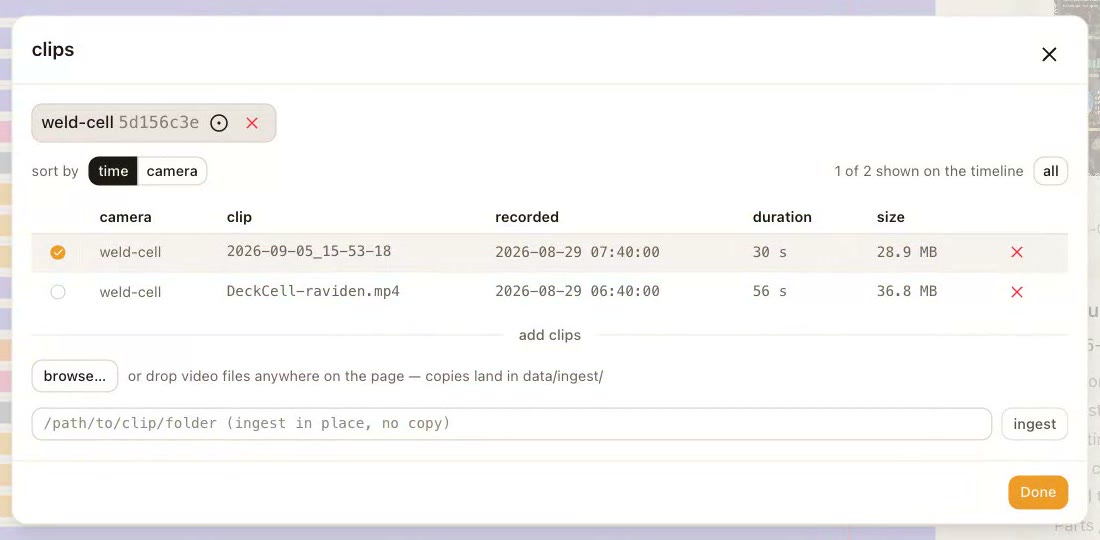
Drop in a folder: exports from the NVR, a clip someone sent you. Every clip is decoded and deduplicated by content.
Record a stream
Point it at the camera. Record and stop over RTSP; each segment is ingested as it lands, so the timeline grows while you watch.
View live data
Go live on the stream and watch the values, the lanes and the ring itself as they arrive. No recording needed.
02 Timeline
Watch the video
and the values.
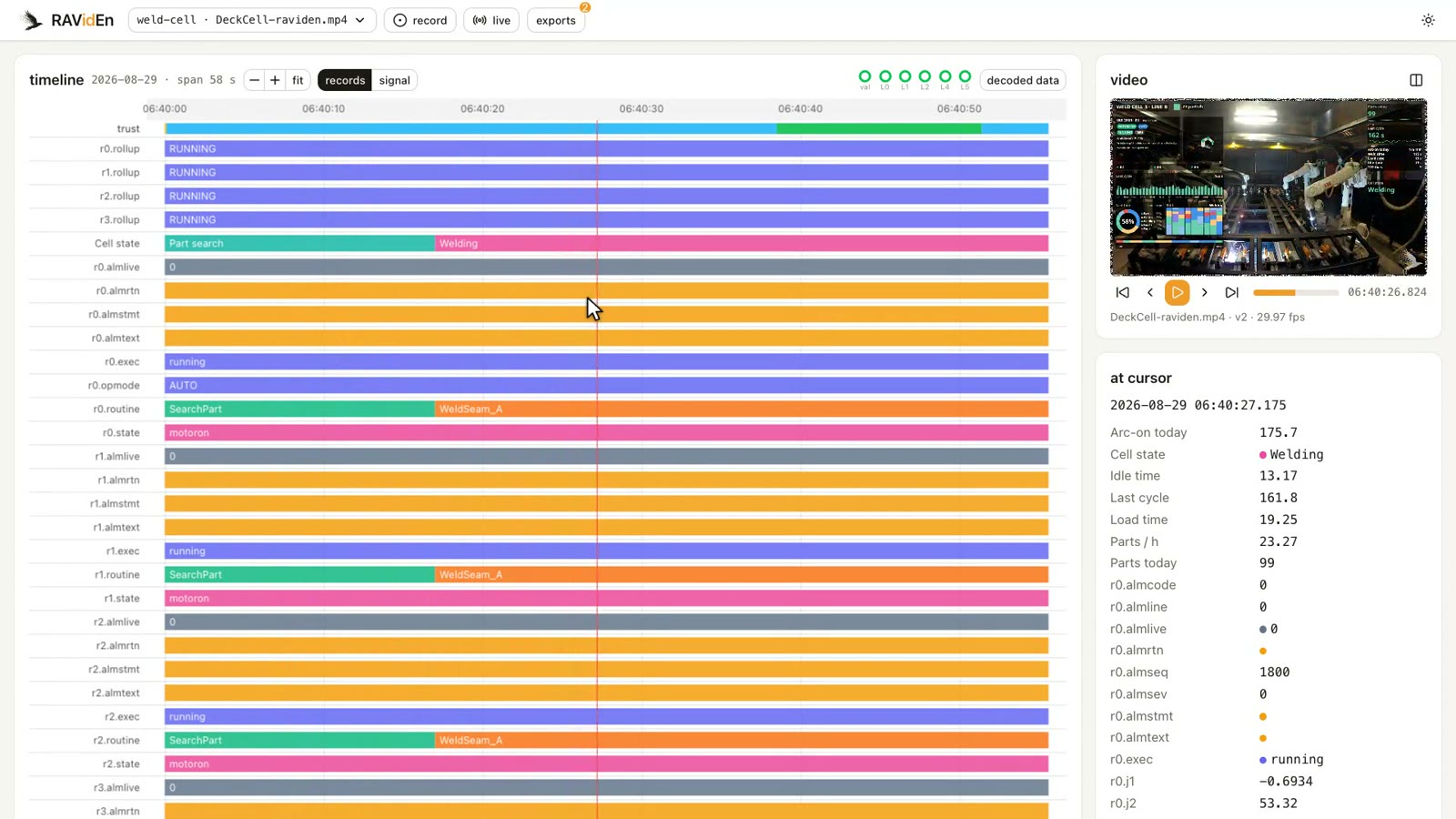
A visual timeline of tag values synced with the video, so cause and effect sit in the same frame.
03 Decoded data
The carousel,
laid out.
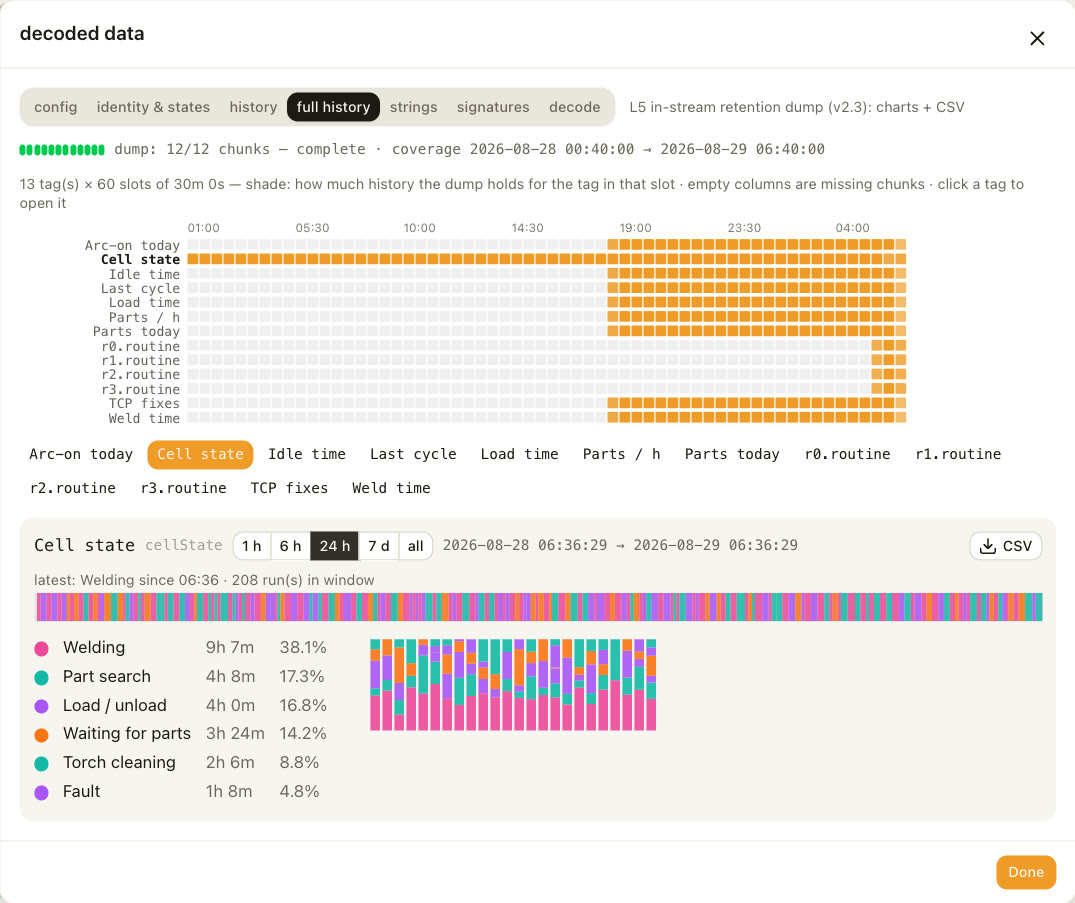
Everything the ring carried beside the values, reassembled from the clip and laid out by layer. A longer clip fills in more.
Configuration, identity, state labels, history, strings, signatures, and the camera's full stored history with charts and CSV export.
04 Signal
Go live.
Watch the ring itself.
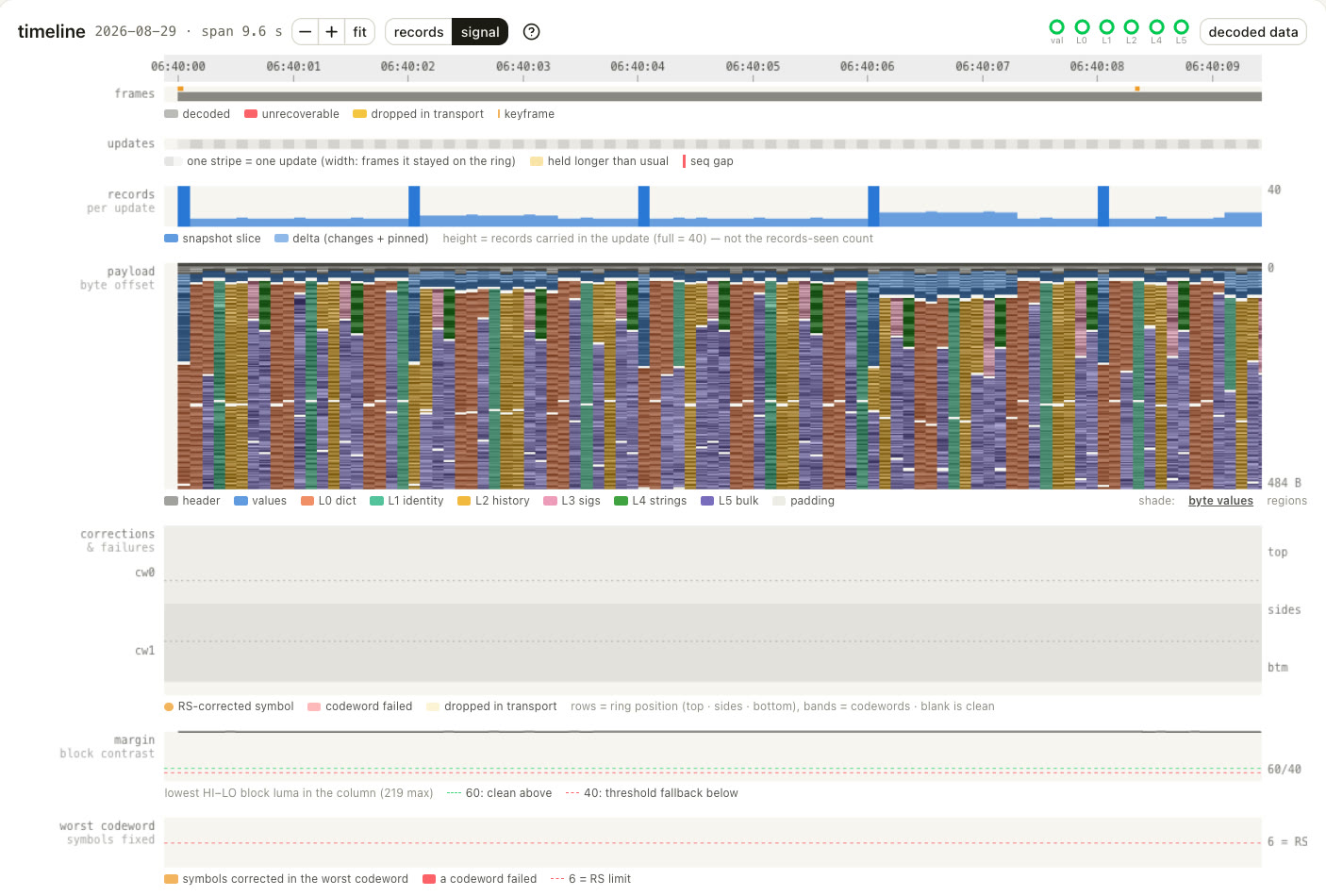
The signal view is a protocol analyzer for the stream: frames decoded or lost, updates and gaps, the payload byte by byte, corrections per codeword, and the contrast margin of the blocks. When a camera or a recorder is misbehaving, this is where it shows.
05 Clips out
Cut a clip.
Send the clip.
Drag-select on the timeline and extract a clip without re-encoding. It keeps its ring, so it decodes again wherever it lands. Record a clip straight from a live stream the same way.
Send the clip, not a screenshot. The person who opens it gets the values, signed by the camera.
06 Get it
Download it.
Open a clip.
The decoder is a desktop app for macOS and Windows. No account, no upload, no server to stand up. Nothing leaves your machine. Recording streams and exporting clips requires a separate ffmpeg install.