Modbus TCP
The Modbus TCP source reads holding registers from a device over TCP, with function code 03 only. With a profile, the connection is a UPS device. Its panel, roll-up, alarm conditions and managed tags are on the UPS page. Without a profile, the connection reads hr: registers you enter by hand, and has no panel and no managed tags. The camera never writes to the device.
Connection
Choose Add connection and pick APC UPS · Modbus under UPS, or Modbus TCP under Generic. The fields that every source shares are on the Connections page.
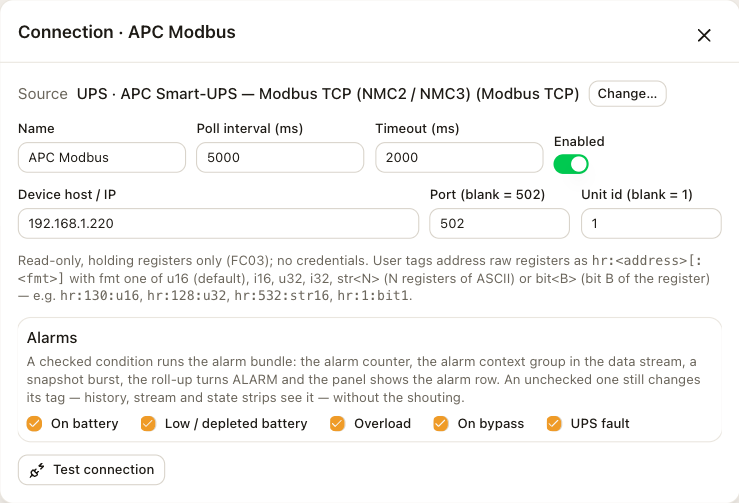
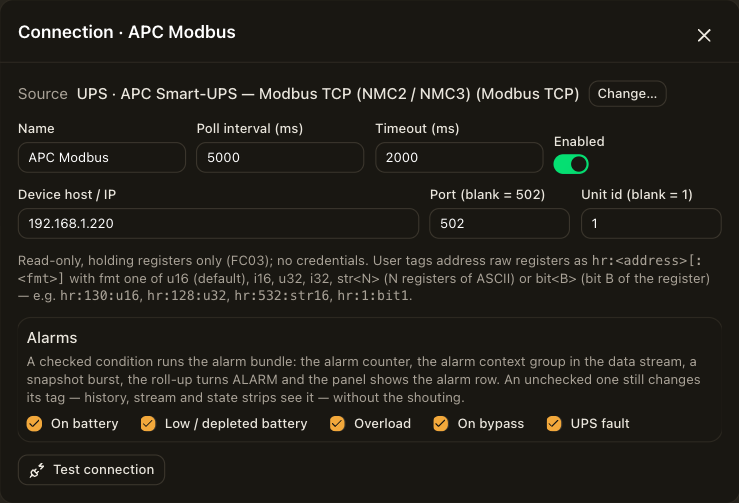
| Field | Description |
|---|---|
| Device host / IP | The address of the network card or device. |
| Port (blank = 502) | Leave it blank for 502. |
| Unit id (blank = 1) | The Modbus unit id. Leave it blank for 1. |
| Alarms | For a device, one checkbox per profile condition. See Devices. |
The source needs no credentials. On an APC network management card, turn Modbus TCP on in the card's settings first. Test connection connects once with the settings in the form and reports the result before you save.
Catalog
Open Tag library and choose Catalog next to the connection. The list shows the profile's registers by section: the status word, the battery, the input, the output and the system data. Every address, its register and its state codes are on the profiles page.
Addresses by hand
Choose Add tag to read a register that is not in the catalog. Enter hr: followed by the register address and, after a second colon, the format.
| Format | Reads |
|---|---|
u16 | One register as an unsigned integer. This is the default. |
i16 | One register as a signed integer. |
u32 | Two registers as an unsigned integer. |
i32 | Two registers as a signed integer. |
str<N> | N registers as ASCII text, for example str16. |
bit<B> | Bit B of the register as 0 or 1, for example bit1. |
Examples are hr:130:u16, hr:128:u32, hr:532:str16 and hr:1:bit1. The tag's scale applies to the value.
Polling
One poll reads the used registers in a few block requests. Five seconds is the profile's default poll interval. After the device restarts, the connection reconnects and continues.
Limitations
- The connection reads holding registers only. It does not read coils, discrete inputs or input registers.
- The connection reads one unit id. A gateway that serves several units needs one connection per unit.
Troubleshooting
The Connections row shows the reason for the last failure.
| Reason | Check |
|---|---|
| no host configured | The host field. |
| host:port: … | The host and port, and that Modbus TCP is on at the card. The message names the socket error. |
| register …: exception … | The unit id, or a register the device does not implement. The message names the Modbus exception. |
| device stopped answering (… polls) | The device went offline while connected. The roll-up reads OFFLINE, the panel shows NO LINK, and values keep their last reading with a !. |