UPS
A UPS is an SNMP or Modbus TCP connection with a UPS profile. The profiles read the output status, the battery, the runtime, the load, the input and the output. This page covers what the profiles read and show. The connection fields are on the source pages.
Profiles
| Profile | Source | Reads |
|---|---|---|
| UPS-MIB | SNMP | Any UPS whose card answers the standard UPS-MIB (RFC 1628). |
| APC UPS · SNMP | SNMP | An APC UPS through its Network Management Card. PowerNet adds the transfer reason and the battery replacement flag, and UPS-MIB fills in each object that PowerNet does not answer. |
| APC UPS · Modbus | Modbus TCP | An APC Smart-UPS through a Network Management Card with Modbus TCP on. It reads the status word, the runtime, the charge, the battery, the load, the input and the output from holding registers. |
Signals
| Group | Address | Reports |
|---|---|---|
| Status | status#code, state#code, rollup#code | The output source, the UPS state and the roll-up status. |
| Battery | battery#code, battery.charge, battery.runtime, battery.voltage, battery.temp, battery.onbattery, battery.replace#code | The battery status, its charge in percent, the runtime left in minutes, its voltage and temperature, the seconds on battery, and the replacement flag. |
| Input | input.voltage, input.frequency, input.linebads, input.transfer#code | The input voltage and frequency, the count of bad line events, and the reason for the last transfer. |
| Output | output.voltage, output.frequency, output.current, output.load, output.power | The output voltage, frequency and current, the load in percent, and the power in watts. |
| Alarms | alarm#code, alarms.count, alarms.text | The alarm level, how many alarms are active, and their text. |
| Test | test#code, test.last | The last self-test result and when it ran. |
| System | system.model, system.manufacturer, system.firmware, system.serial, system.upsname, system.name, system.uptime | The model, the manufacturer, the firmware, the serial number, the name on the card, and the agent's name and uptime. |
The addresses are the same for every UPS profile, so a configuration moves between profiles without edits. The Modbus profile has no transfer reason, no bad line count and no self-test result. Every address, its sources and its codes are on the profiles page.
Alarm conditions
| Condition | Raises | Checked by default |
|---|---|---|
| On battery | ON BATTERY | Yes |
| Low / depleted battery | LOW BATTERY, BATTERY DEPLETED | Yes |
| Overload | OVERLOAD | Yes |
| On bypass | ON BYPASS | Yes |
| Replace battery | REPLACE BATTERY, NO BATTERY | Yes |
| UPS fault | The fault the card reports | Yes |
The Modbus profile has no Replace battery condition. What a checked condition does is on the Devices page.
Roll-up
The UPS state is a worst-of summary. It starts from the output source, rises to ALARM while a checked condition is active, and reads NO DATA while the device answers nothing. The profile maps it onto the roll-up.
| UPS state | Roll-up |
|---|---|
| ONLINE | RUNNING |
| ON BATTERY, BYPASS | WARNING |
| ALARM | ALARM |
| OFF | STOPPED |
| NO DATA | NO DATA |
| OFFLINE | OFFLINE |
UPS panel
The family has one panel. It takes a connection under UPS connection and creates the managed tags it reads.
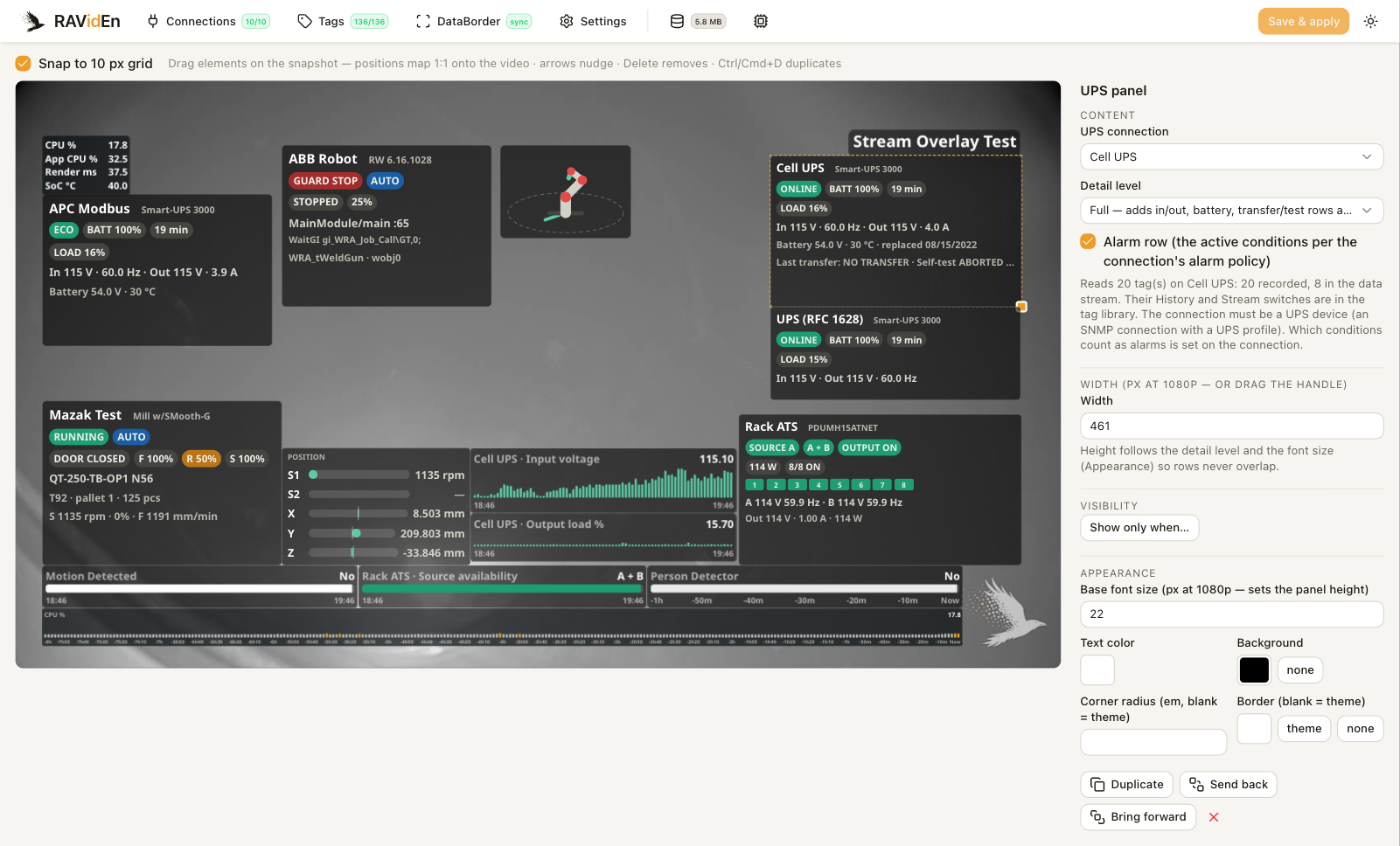
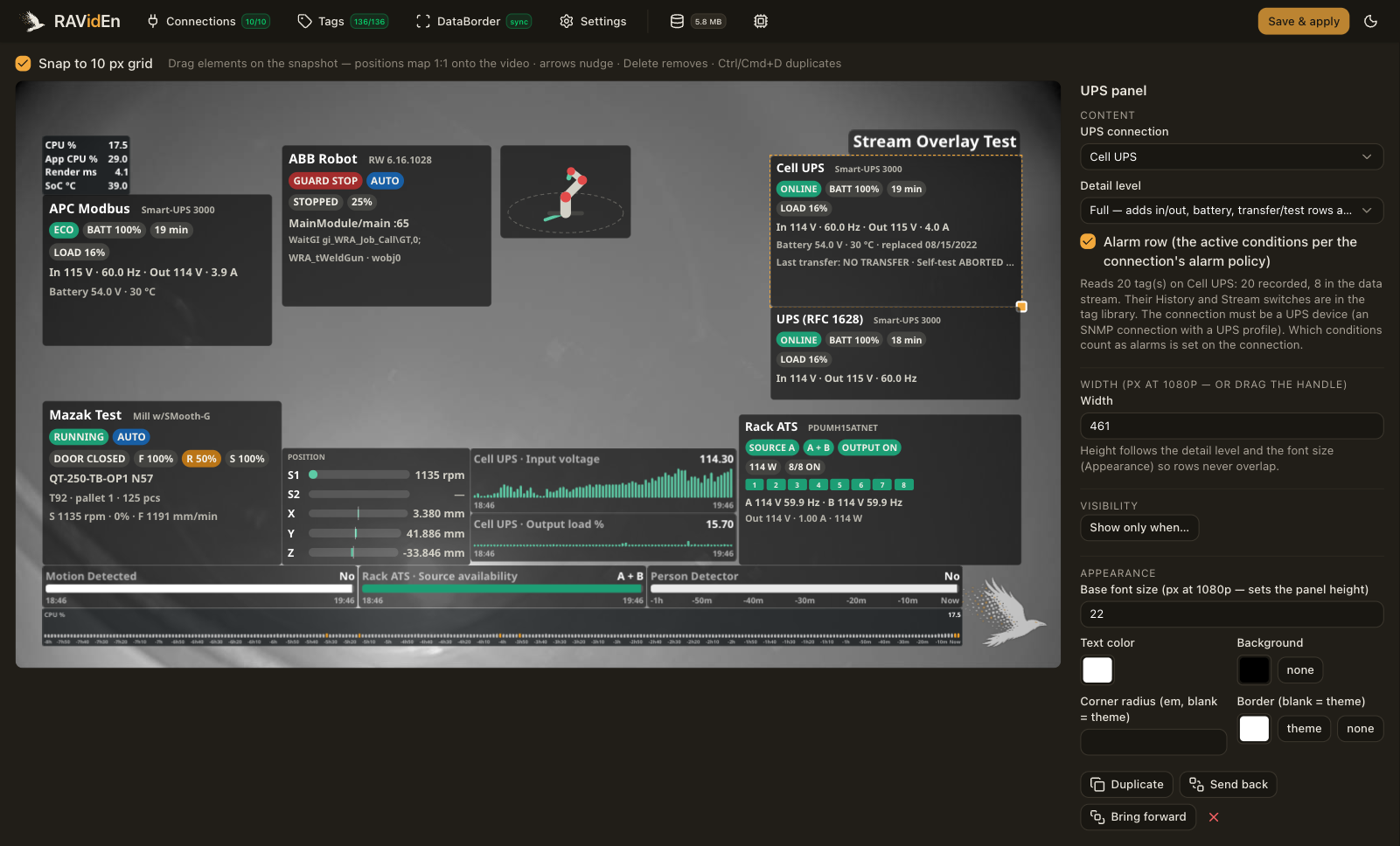
| Detail level | Shows |
|---|---|
| Chip | The name and the roll-up status. |
| Compact | The status, battery, runtime and load chips with an input and output line. |
| Full | The input, output and battery rows, the last transfer and self-test line where the profile provides it, and an alarm row. |
While the device does not answer, the panel shows a NO LINK chip with the time of the last good read and dims the last-known values.
Managed tags
The panel creates one managed tag per catalog address it reads. The tag library lists them under the connection with a ups badge.
Every managed tag records history. While the overlay shows them, the DataBorder carries the status, the state, the battery, the charge, the runtime, the load and the alarm tags. The other managed tags stay out of the DataBorder unless their Stream switch is on. See Tags.
Alarm context
With Alarm burst on, a checked condition that arrives sends its code and text and forces a full snapshot, so a clip that starts at the fault decodes on its own. See DataBorder.
Limitations
- There is no figure for a power device.