CNC machines
A CNC machine is a Mazak MTConnect connection with the Mazak profile. The profile reads the execution state, the mode, the door and emergency stop, the program pointer, the tool, the part count, the overrides, the spindle and every axis the machine reports. This page covers what the profile reads and shows. The connection fields are on the source page.
Signals
| Group | Address | Reports |
|---|---|---|
| Status | avail, exec, mode, estop, door, rollup, state, each also as #code | Whether the machine reports data, the execution state, the controller mode, the emergency stop, the door, the roll-up and the machine state. |
| Conditions | cond#code, cond.code, cond.text, cond.count | The worst active condition as normal, warning or alarm, with its native code and text, and how many conditions are active. |
| Program | program, program.sub, program.comment, line, line.label, parts, parts.target, tool, tool.group, pallet | The main and sub program, the program line and its label, the part count and its target, the tool in the spindle and its group, and the pallet. |
| Overrides | ovr.feed, ovr.rapid, ovr.spindle | The feed, rapid and spindle overrides in percent. |
| Spindle | spindle.rpm, spindle.load, spindle.temp, spindle.mode, feed | The spindle speed, load in percent, temperature and rotary mode, and the path feedrate in mm/s. |
| Axes | axis.X.pos, axis.X.feed, axis.X.load, axis.X.temp, axis.X.state and #code, for each axis found on the machine | The position, feedrate, load in percent, servo temperature and state of each axis. |
| Timers | time.auto, time.cut, time.total | The accumulated automatic operation, cutting and power-on time in seconds. |
| System | system.name, system.model, system.serial, system.agent, system.axes, system.spindles | The device name, the model, the serial number, the agent version, and the names of the axes and spindles. |
The #code addresses are state tags and take a state map from the profile. The labels are Mazak's terms. Every address and its codes are on the profiles page.
Alarms and warnings
The agent reports conditions. A fault is a Mazak alarm and a warning is a Mazak warning.
- An alarm raises the roll-up to ALARM, shows red in the CNC panel, and fires the alarm burst in the DataBorder.
- A warning shows amber in the panel's chip and alarm row and in the
cond#codehistory. It changes nothing else.
A condition clears when the machine clears it, so the alarm row clears with the condition.
Roll-up
The machine state is a worst-of summary. It starts from the execution state, rises to ALARM while an alarm is active, and an emergency stop overrides it. It reads NO DATA while the agent answers but the machine reports nothing. The profile maps it onto the roll-up.
| Machine state | Roll-up |
|---|---|
| RUNNING | RUNNING |
| IDLE | IDLE |
| FEED HOLD, INTERRUPTED, WAIT | WARNING |
| ALARM, E-STOP | ALARM |
| NO DATA | NO DATA |
| OFFLINE | OFFLINE |
CNC panel and axis panel
The family has two panels. Both take a connection under CNC connection and create the managed tags they read.
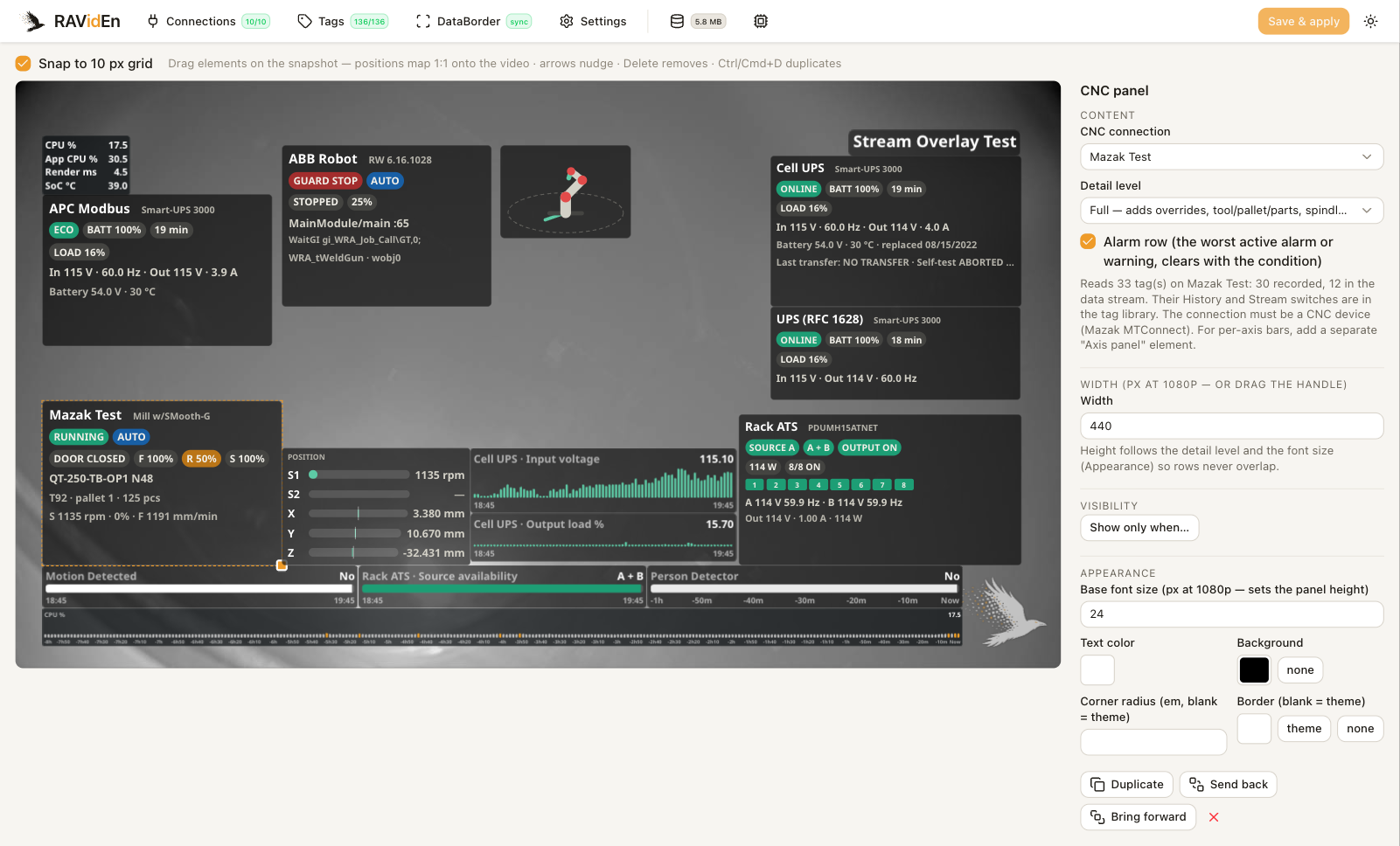
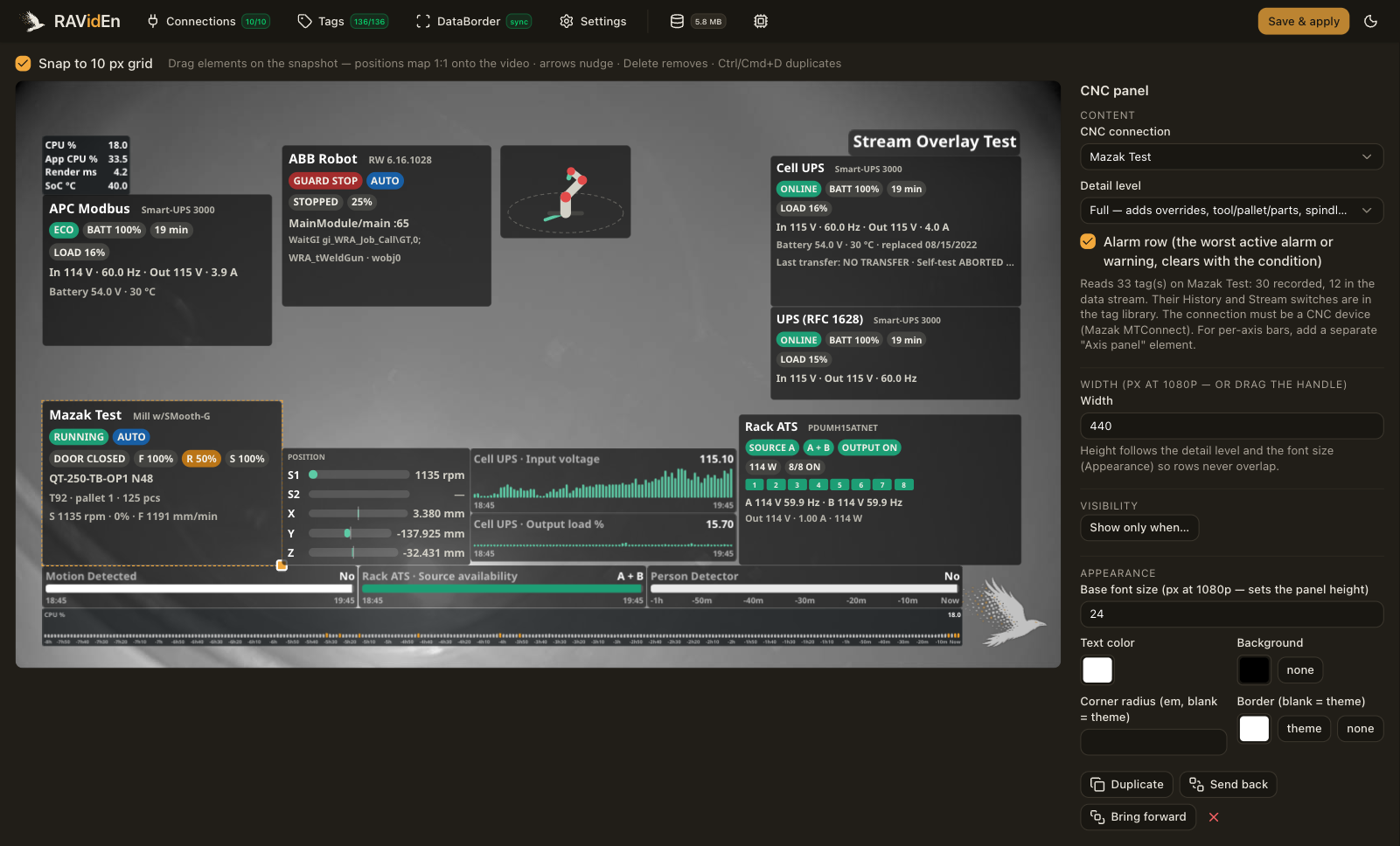
| Element | Description |
|---|---|
| CNC panel | Chip shows the name and the roll-up status. Compact adds the execution, mode and door chips with the program, line, tool and part count. Full adds the overrides, the pallet, the spindle speed and feedrate, and an alarm row. |
| Axis panel | One bar and number per spindle and axis, in the machine's order. Metric chooses load, position, feedrate or temperature. Spindles show rpm for position and feedrate. |
The panel shows feedrate in mm/min. While the agent does not answer, the panel shows a NO LINK chip with the time of the last good read and dims the last-known values.
On the axis panel, load bars turn amber at 70 percent and red at 90 percent. Bar min and Bar max set the axis bar scale.
Managed tags
A CNC panel or an axis panel creates one managed tag per catalog address it reads. The connection adds a tag for each axis value it finds on the machine. The tag library lists them under the connection with a cnc badge.
Every managed tag records history except the axis feedrates. While the overlay shows them, the DataBorder carries the status, the alarm code, the program, the line, the tool and the part count. The overrides, the spindle and the axes stay out of the DataBorder unless their Stream switch is on. See Tags.
Alarm context
With Alarm burst on, a new alarm sends its native code and text, and the program and line at the alarm, and forces a full snapshot, so a clip that starts at the fault decodes on its own. See DataBorder.
Limitations
- The connection does not read tool life data from the agent's assets.
- There is no figure for a machine.