Robots
A robot is an ABB Robot Web Services connection with the ABB robot profile. The profile reads the controller's panel state, operating mode, RAPID execution and program pointer, joint angles and event log. This page covers what the profile reads and shows. The connection fields are on the source page.
Signals
| Group | Address | Reports |
|---|---|---|
| Panel | panel.ctrlstate, panel.opmode, panel.rollup, each also as #code; panel.speedratio | The controller state, the operating mode, the roll-up status, and the speed in percent. |
| Execution | exec.state and exec.state#code, exec.cycle, exec.routine, exec.line, exec.stmt | Whether RAPID is running, the cycle mode, and the program pointer as routine, line and statement. |
| Motion | motion.joint.1 to motion.joint.6, motion.tcp.x, .y, .z, motion.tool, motion.wobj | Joint angles in degrees, the TCP position in millimeters, the active tool and work object. |
| Events | elog.last.code, elog.last.severity, elog.last.title, elog.last.seq | The latest event log entry. Severity is 1 for information, 2 for warning and 3 for error. |
| System | system.name, system.rwversion, system.robottype, system.energy.power | The system name, the RobotWare version, the robot type and the average power in watts. |
The #code addresses are state tags and take a state map from the profile. Every address and its codes are on the profiles page.
Roll-up
The robot state is a worst-of summary. It starts from the execution state, rises to ALARM for ten minutes after an error, and a guard stop, an emergency stop or a system failure overrides it. The profile maps it onto the roll-up.
| Robot state | Roll-up |
|---|---|
| RUNNING | RUNNING |
| STOPPED, with the motors on and nothing executing | IDLE |
| ALARM, an error in the last ten minutes | WARNING |
| GUARD STOP, E-STOP, SYS FAIL | ALARM |
| OFFLINE | OFFLINE |
Robot panel and pose figure
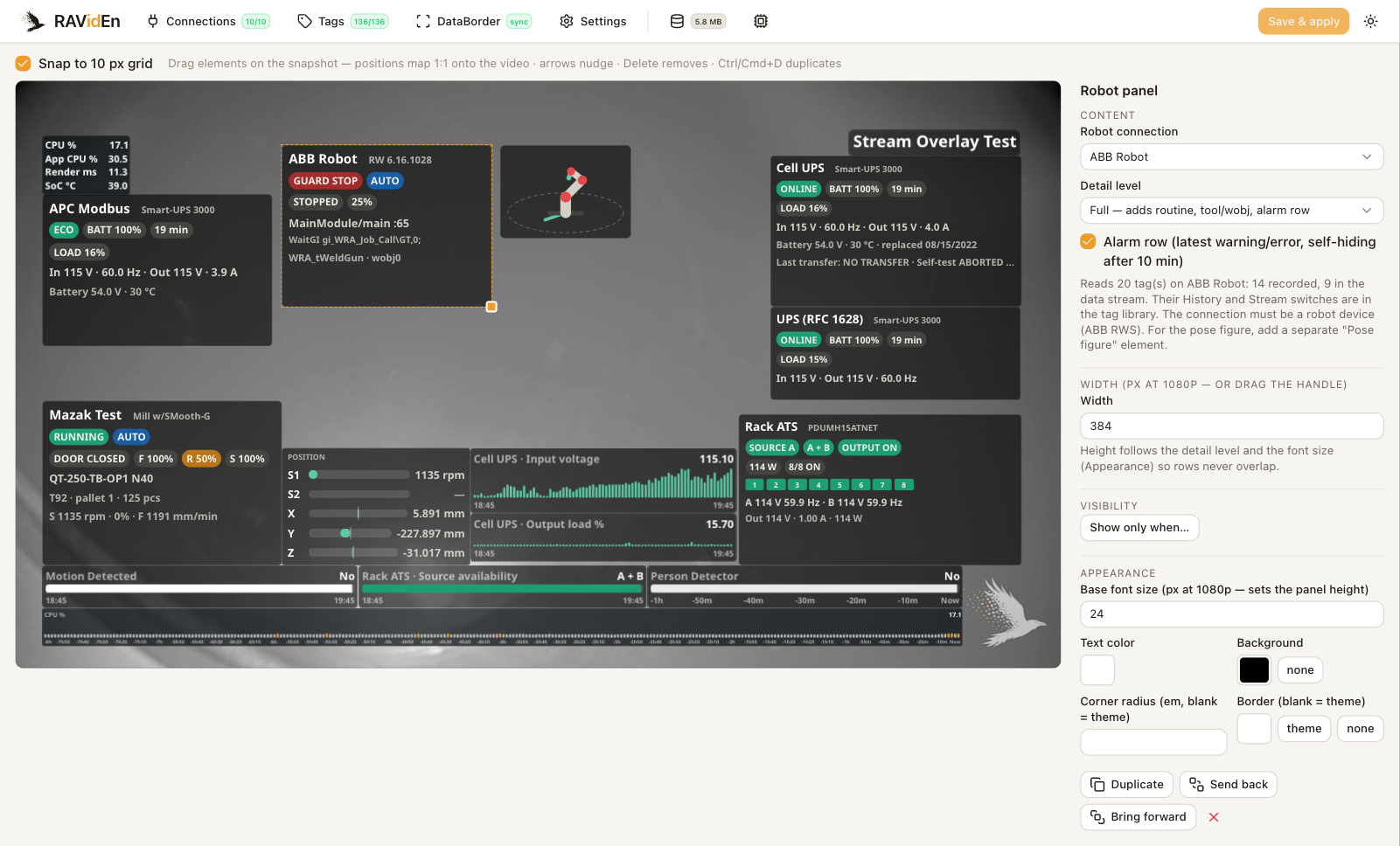
The family has two panels. Both take a connection under Robot connection and create the managed tags they read.
| Element | Description |
|---|---|
| Robot panel | Chip shows the name and the roll-up status. Compact adds the state, mode, execution and speed chips. Full adds the routine and line, the statement, the tool and work object, and an alarm row. |
| Pose figure | A schematic six-axis arm posed from joints 1, 2, 3 and 5, as an Isometric or a Side view. It is the same drawing for every robot model. |
The alarm row shows the latest warning or error for ten minutes. While the robot does not answer, the panel shows a NO LINK chip with the time of the last good read and dims the last-known values and the figure.
Managed tags
A robot panel or a pose figure creates one managed tag per catalog address it reads. The tag library lists them under the connection with a robot badge.
The status, the event and the program addresses record history. The joints and the TCP position change on every poll while the robot moves, so they stay live only unless their History switch is on.
While the overlay shows them, the DataBorder carries the roll-up, the state, the controller state, the operating mode, the execution state, the speed, the event code, the routine and the line. Strings, the event severity and the motion values stay out of the DataBorder unless their Stream switch is on. See Tags.
Alarm context
With Alarm burst on, a new warning or error sends the alarm's code, severity and text, and the routine, line and statement of the program pointer at the alarm, and forces a full snapshot, so a clip that starts at the fault decodes on its own. See DataBorder.
Limitations
- The connection reads one mechanical unit and one RAPID task, the first of each. A MultiMove controller shows its first robot.
- The connection keeps only the latest event of each poll. When a fault raises several entries in one second, the panel and the records show the last one.